
For Windows and Mac · AI included
Drop it in.
Docsi does the rest.
Docsi AI is a desktop app for Windows and Mac that lives as a little assistant at the top of your screen. Hand him files, whole windows or a question – and get finished PDF, Word and Excel files back, with sources.
Then from €9.99 a month · cancel any month · Watch the demo

In short
What is Docsi AI?
Docsi AI is a document assistant by Impulse Apps from Hamburg, Germany. He reads PDFs, Word and Excel files, photos and whole windows and turns them into study sheets, analyses, reports or flashcards as real files. Whatever works without AI, Docsi does locally on your computer.
| What it is | Desktop app that reads your files, calculates and writes finished documents |
|---|---|
| Systems | Windows 10 and 11 (64-bit), macOS 14 or later on Macs with Apple silicon |
| Reads | PDF (up to 500 pages), Word (DOCX), Excel (XLSX), CSV, TXT, Markdown, photos and screenshots, whole windows |
| Delivers | PDF, Word (DOCX), Excel (XLSX), CSV and Markdown – with sources and page numbers |
| Local, no credits | Converting, merging PDFs, text recognition in German and English |
| AI | Docsi AI included, no key of your own; optionally your own AI or local models |
| Price | Plus €9.99 a month (2,000 credits, 2 computers), Pro €19.99 a month (6,000 credits, 3 computers) |
| Trial | 3 days free with 150 credits; cancel before and you pay nothing |
| Languages | German and English, interface and results |
| Publisher | Impulse Apps, Hamburg, Germany · current version 1.1.1 from 26 October 2026 |
Demo
Docsi in one minute.
That simple
Three steps. One finished file.
- 01
Drop it in
Files, whole windows from your browser or notes, copied text – or simply a question.
- 02
Say what you need
“Make me a study sheet”, “Analyse this table”, “Sum it up on one page”.
- 03
Done
Docsi hands back a clean file – as PDF, Word, Excel or Markdown, with sources and page numbers.
Use cases
Who is Docsi AI made for?
University and school
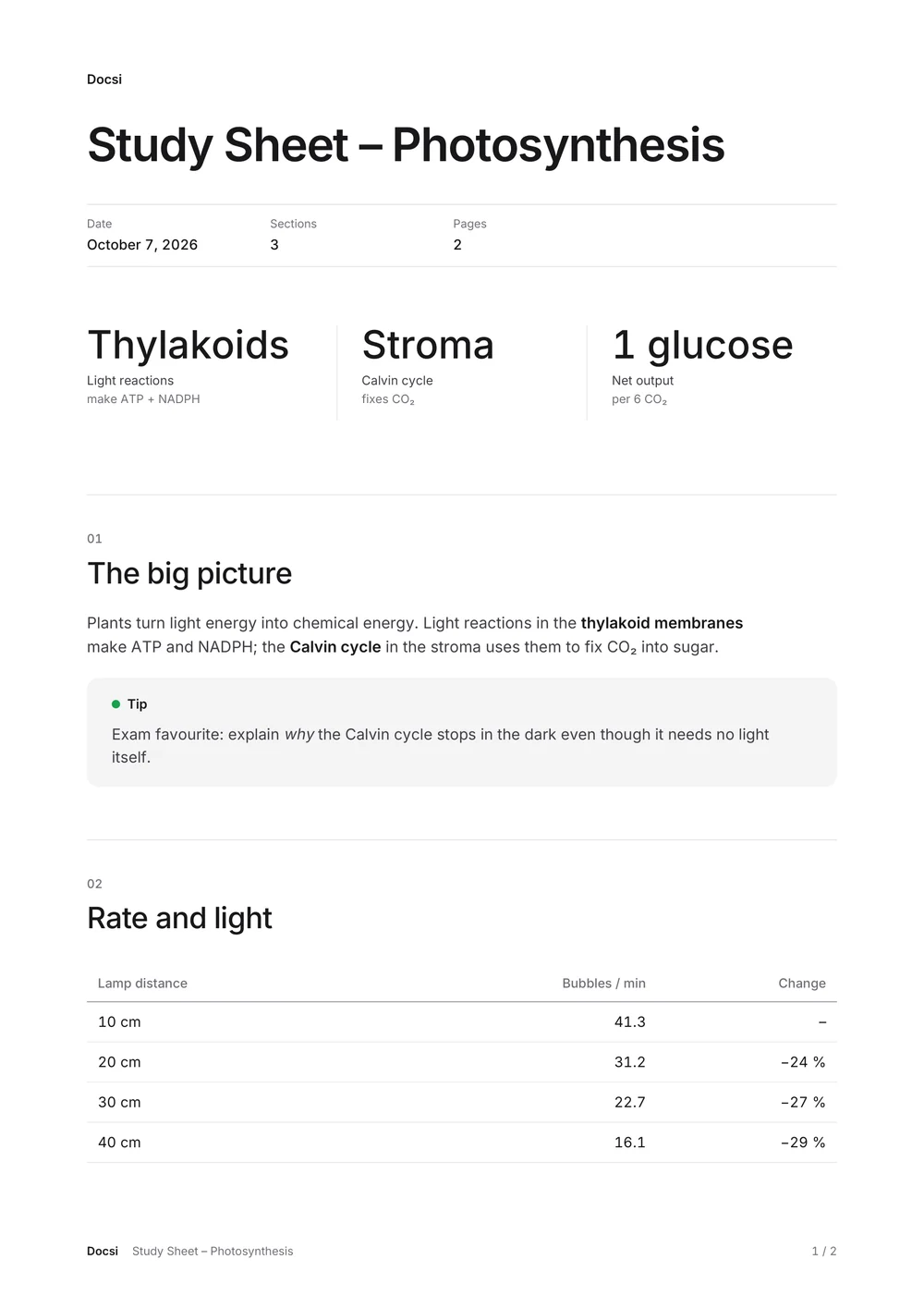
Lecture slides and notes become study sheets, review questions and flashcards – with page numbers, so you can find every statement in the material again.
Work and office
Organise minutes, draft reports, compare two versions of a document: Docsi delivers the result as an editable Word file you can keep working on.
Numbers and tables
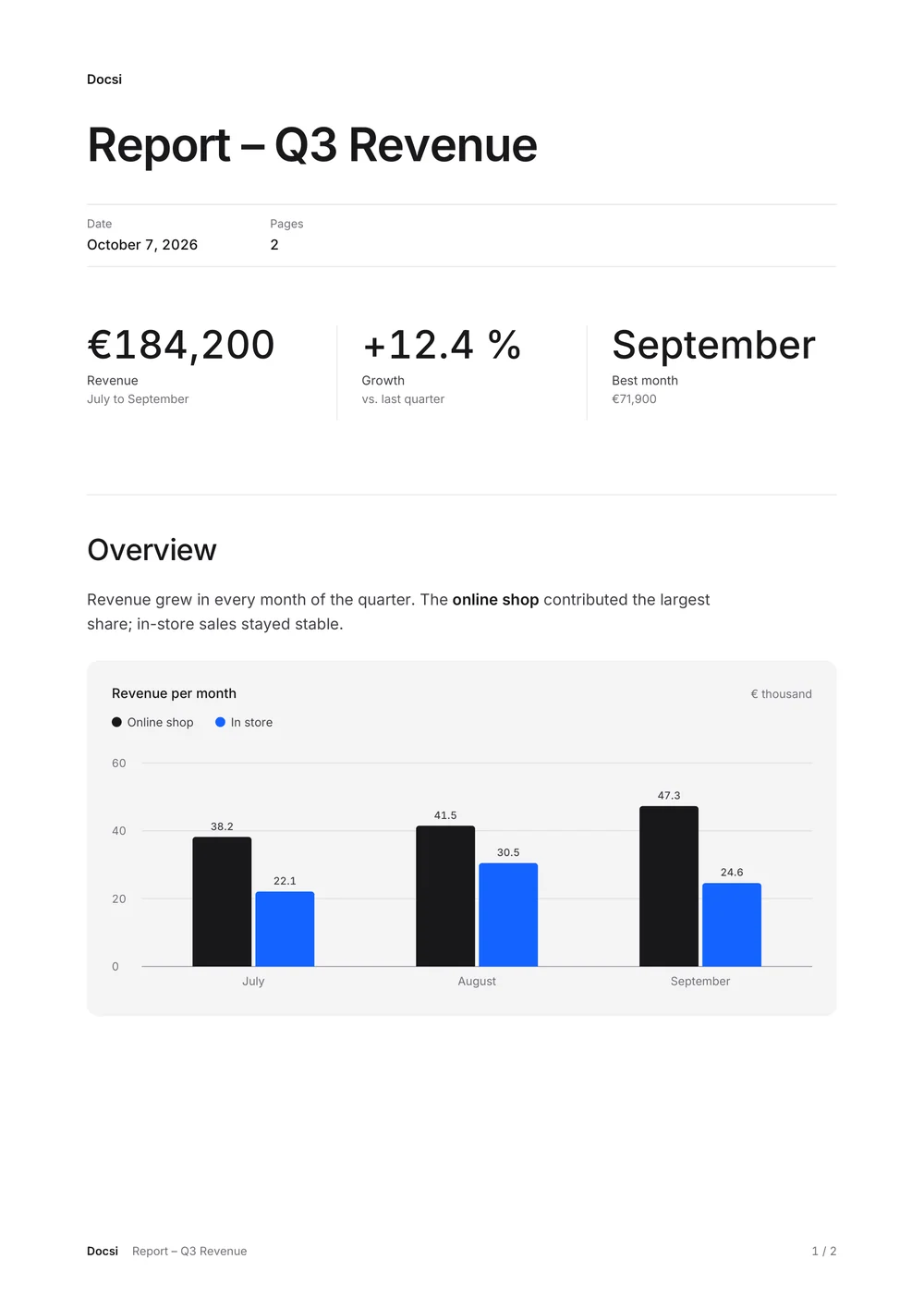
Analyse CSV and Excel data: Docsi calculates sums, averages and shares exactly from the cells and places real charts in Excel, Word or PDF.
Explore
Everything about Docsi.
Step by step
Get more from Docsi.
Clear tasks, reviewed sources and the right output format. The guides walk you through the complete workflow.
Your first task with Docsi
Add a file, give a clear task, review the sources and save a finished document: your introduction to Docsi.
Read the guide Study and workTurn course material into a study sheet
Use Docsi to create clear study sheets, review questions and glossaries from your own course material.
Read the guide Files and outputsConvert files and choose a format
PDF, DOCX, TXT, Markdown, CSV and XLSX in Docsi: supported inputs, local conversion and important format limits.
Read the guideQuestions
Common questions about Docsi AI
How is Docsi AI different from chatting with an AI?
Docsi AI hands back finished files instead of chat text: a typeset PDF study sheet, an editable Word document or an Excel workbook with native charts. Statements taken from your files carry source markers with page numbers, which Docsi checks against the original text. And Docsi sits right at the edge of your screen: you simply drop files or whole windows onto him.
Are my files uploaded?
No. Your files stay on your computer; converting, merging and text recognition run locally. Only when you start an AI task, the text it needs travels encrypted through the Docsi server to the AI provider. That content is not stored, only how many credits were used.
How much does Docsi AI cost?
Docsi Plus costs €9.99 a month (2,000 AI credits, 2 computers), Docsi Pro €19.99 a month (6,000 AI credits, 3 computers). Both start with a free 3-day trial with 150 credits and can be cancelled monthly.
Does Docsi AI run on my computer?
Docsi AI runs on Windows 10 and 11 (64-bit) and on Macs with Apple silicon (M1 or later) from macOS 14 Sonoma. Macs with an Intel processor and Linux are not supported.
Do I need an account or an AI key of my own?
No. Instead of a login you get a license key, and Docsi AI is included in the subscription. If you like, you can also connect an AI of your own or a local model in the settings.
Ready for less busywork?
Try Docsi free for 3 days. Cancel before, and you pay nothing.