Download

Docsi for Windows and Mac.

Docsi AI is available for Windows 10 and 11 and for Macs with Apple silicon. Install, open, start your trial – or enter your license key. One subscription works on both systems.

Windows

Windows 10 or 11 · 64-bit

Download for Windows (.exe)
  1. Open the installer. Docsi installs for your user account only, no admin rights needed.
  2. Docsi starts and appears at the top of your screen.
  3. Start your trial or choose “I already have a subscription”.

Install without the Windows prompt: copy this line, paste it into PowerShell, press Enter. It downloads the installer, checks its checksum and opens it.

irm https://docsi.impulse-apps.de/install.ps1 | iex

Does Windows say “Windows protected your PC” for the installer? Click “More info”, then “Run anyway” – or use the PowerShell line above.
Mac

macOS 14 Sonoma or later · Mac with Apple silicon (M1 or later)

Download for Mac (.dmg)
  1. Open the installer and drag Docsi onto the Applications folder.
  2. Open Docsi. He appears at the top of your screen.
  3. Start your trial or choose “I already have a subscription”.

For window drop, macOS asks once for “Screen Recording” permission.

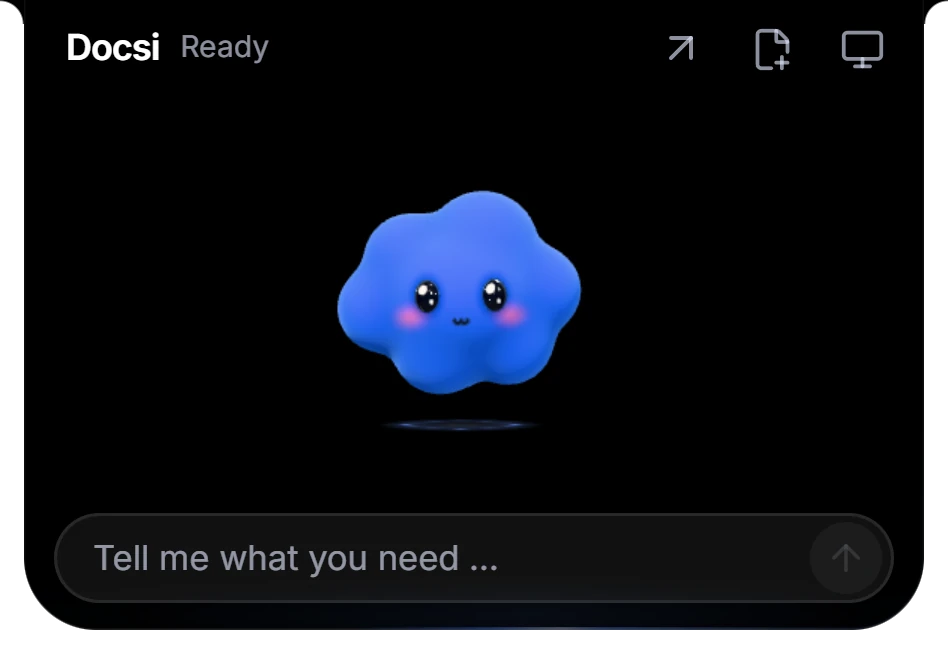
Docsi widget at the top of the screen with an input field
After installing: Docsi sits as a slim bar at the top of the screen and opens this input field when you hover over it.

Already subscribed?

Open Docsi, choose “I already have a subscription” and paste your license key. You’ll find it on the confirmation page after buying and in Docsi under Settings → Subscription.

Updates

Install new versions right in Docsi under Settings → Updates. Every update is signed and checked before it installs.

Requirements

What do I need for Docsi AI?

A Windows PC with 64-bit Windows 10 or 11 or a Mac with Apple silicon, an internet connection for activation and a subscription. You do not need an account.

System requirements and versions
WindowsWindows 10 or 11, 64-bit; installs for your user account only, no admin rights needed
MacmacOS 14 Sonoma or later, Mac with Apple silicon (M1 or later); signed with a Developer ID and notarised by Apple
Internetfor activation, Docsi AI and updates; local tools keep working offline for up to 5 days
SubscriptionDocsi Plus or Pro, both with a free 3-day trial
Current version1.1.1 from 26 October 2026, for Windows and Mac
First release1.0.0 on 7 October 2026
Updatesinside Docsi under Settings → Updates; every update is signed and checked before it installs

Verified Windows installer

The PowerShell line downloads the current installer from docsi-api.impulse-apps.de, compares its SHA-256 checksum and only then opens the normal setup wizard.

Notarised for macOS

The Mac disk image (.dmg) is signed with an Apple Developer ID and notarised by Apple, so macOS opens Docsi without detours.

Signed updates

Docsi only installs updates with a valid signature. A modified or damaged file is rejected before it installs.

Questions

Questions about installing

Why does Windows warn me about the installer?

Windows SmartScreen shows “Windows protected your PC” for new programs it has rarely seen. Click “More info” and then “Run anyway” – or use the PowerShell line, which checks the installer’s checksum before opening it.

Does Docsi AI run on Intel Macs?

No. The Mac version is built for Macs with Apple silicon (M1 or later) from macOS 14 Sonoma. On Windows you need the 64-bit version of Windows 10 or 11.

How do I uninstall Docsi AI?

On Windows via Settings → Apps → Installed apps → Docsi → Uninstall. On a Mac, drag Docsi from the Applications folder to the Bin. Cancel your subscription separately under “Manage subscription”.

Can I use Docsi AI on a new computer?

Yes. Install Docsi, choose “I already have a subscription” and enter your license key. If all seats are taken (2 on Plus, 3 on Pro), remove an old device right inside Docsi.

Ready for less busywork?

Try Docsi free for 3 days. Cancel before, and you pay nothing.