
Features
Everything Docsi does for you.
Docsi AI is a desktop app that reads documents, calculates and delivers finished files: from lecture notes to study sheet, from table to report, from photo to text.
How Docsi AI works
- 01
Drop it in
Files, whole windows from your browser or notes, copied text – or simply a question.
- 02
Say what you need
“Make me a study sheet”, “Analyse this table”, “Sum it up on one page”.
- 03
Done
Docsi hands back a clean file – as PDF, Word, Excel or Markdown, with sources and page numbers.
Results
Looks like hard work. Wasn’t.
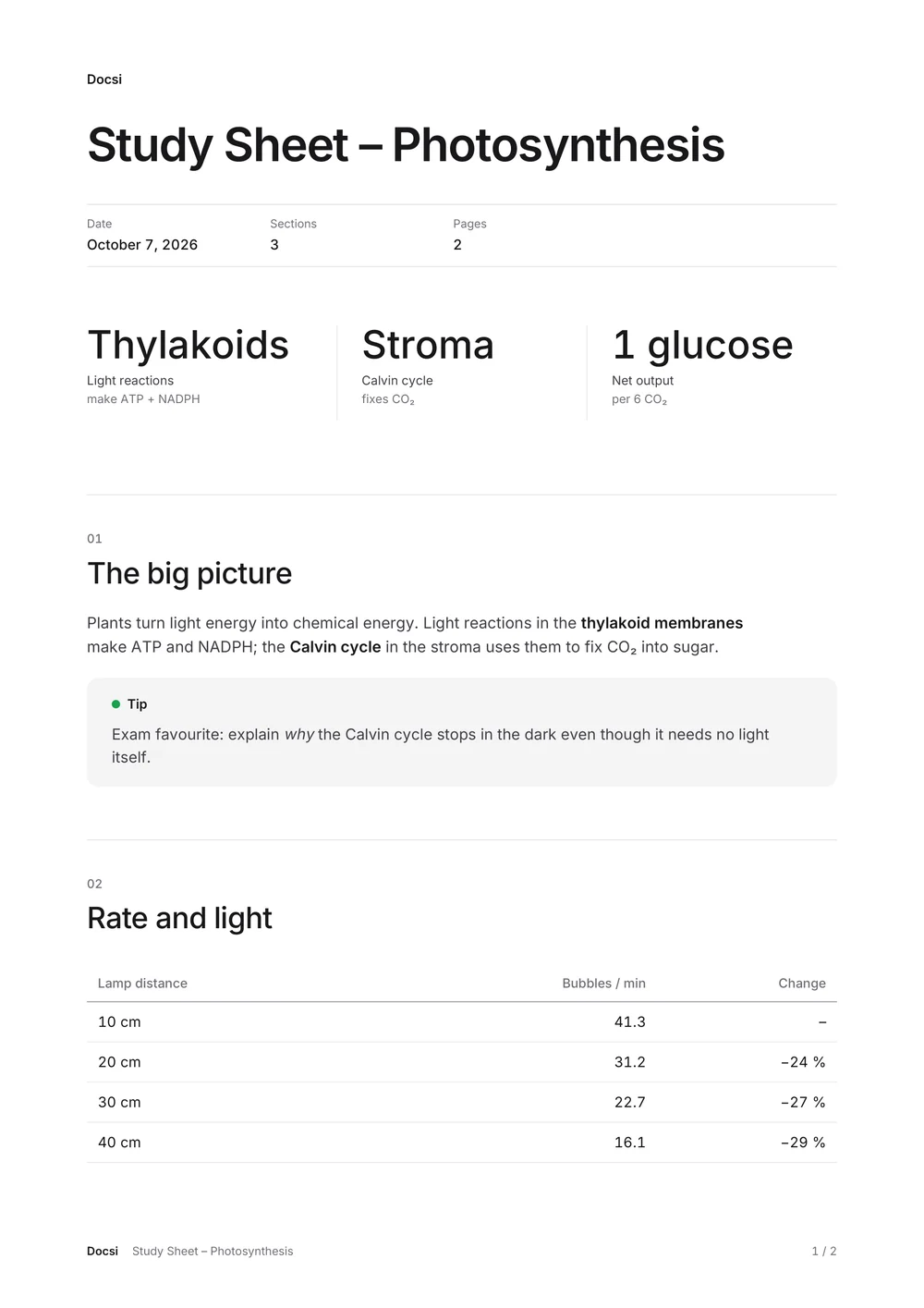
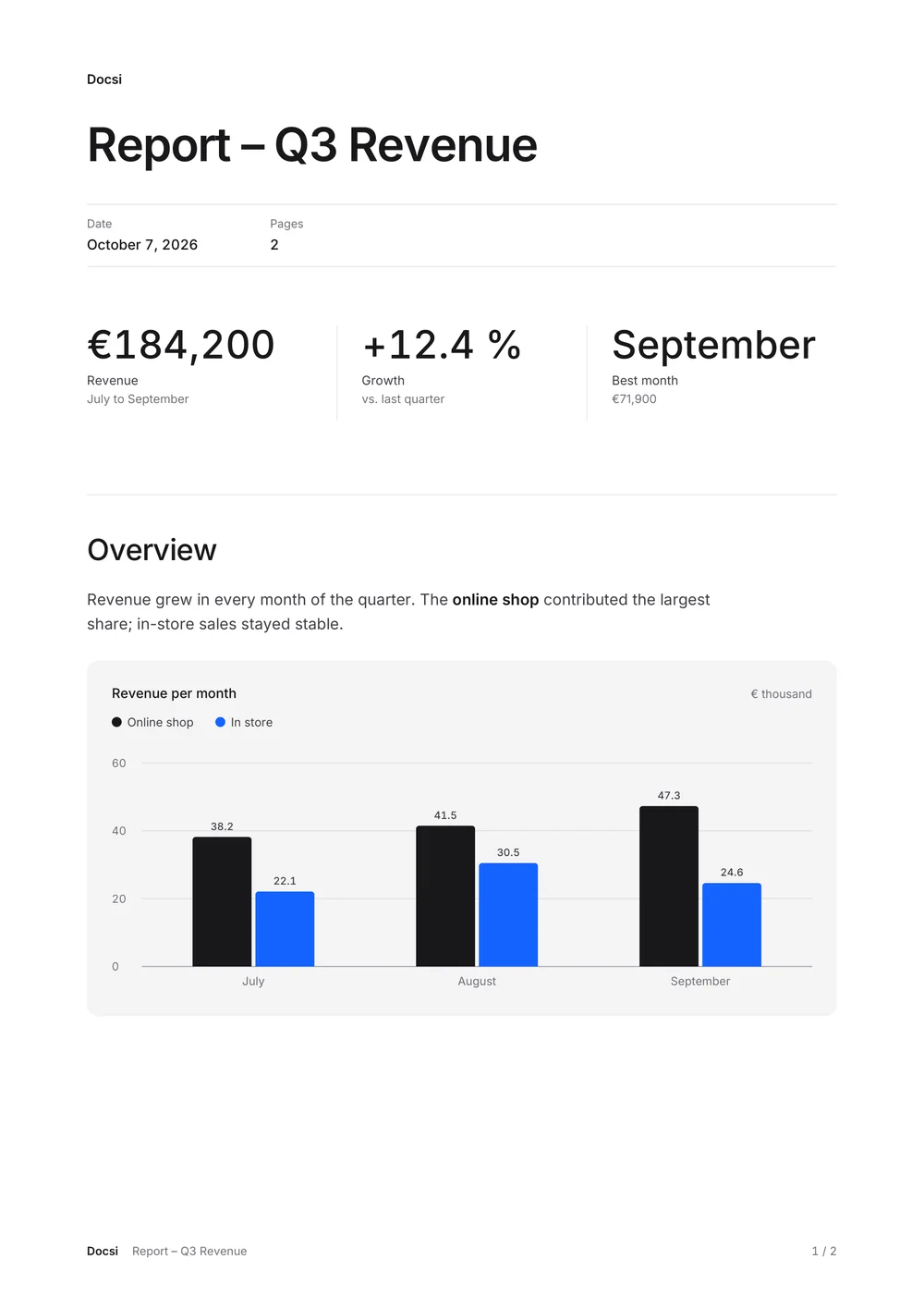
Study sheets, reports, analyses, flashcards: Docsi lays out key figures, tables and charts so you can hand them in, print them or send them on right away.
- Word and Excel files stay fully editable – charts included
- Sources with page numbers from your own files
- Merge and convert PDFs – offline
Always there
At the top of your screen. Never in the way.
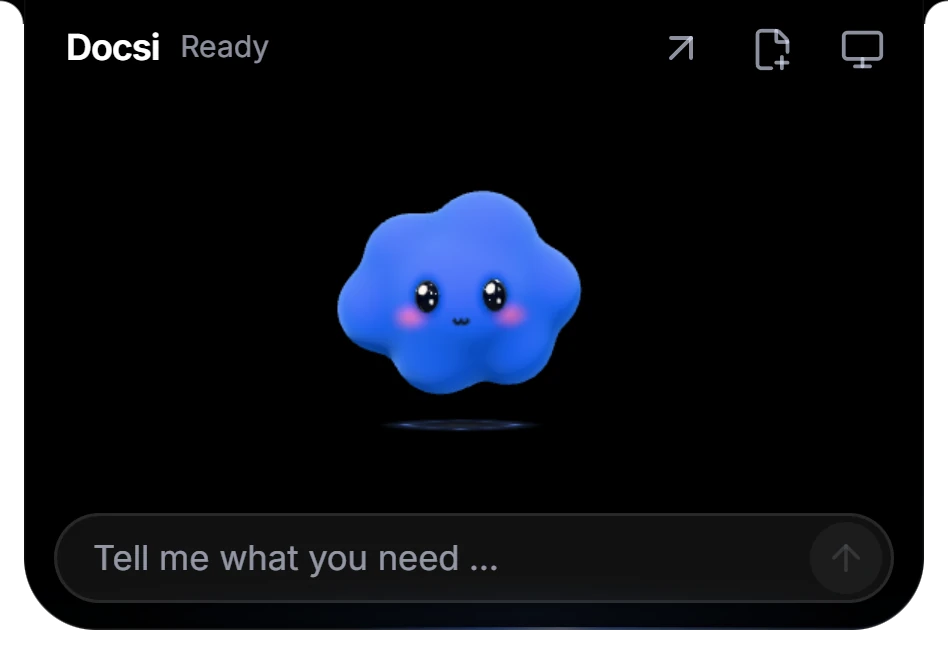
Docsi is a slim bar at the top edge of your screen. Move your mouse over it and he’s there. Drag a file or a whole window onto him – Docsi reads it right on your computer.
- Drag in windows: browser, notes, PDF viewer
- Text recognition for scans and photos – local
- Quick answers right in the widget

Workspace
For anything bigger: one calm window.
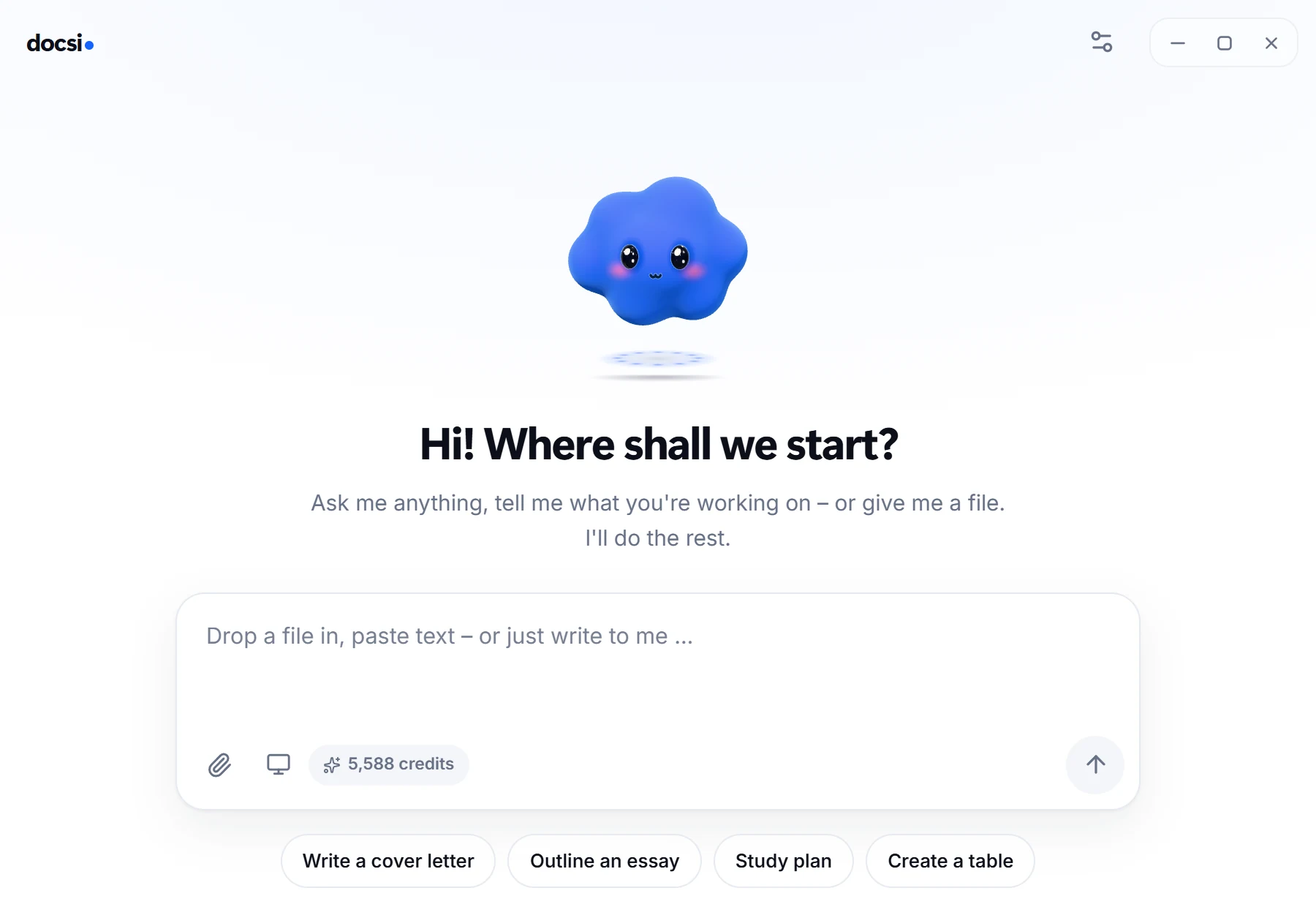
Longer tasks, several files at once, your history and every setting – tidy, in one place.
- Work with several files at once
- History, preview and export in one place
- Credits and subscription always in view
At a glance
What Docsi can do.
Study sheets & summaries
From lecture notes, books and handouts – with key figures, tips and takeaways.
Reports with charts
Analyse tables, calculate averages and shares, add real charts.
Word & Excel stay editable
Native charts, clean tables, embedded fonts.
Merge & convert PDFs
Offline on your computer – no AI and no credits needed.
Text recognition for scans
Photos, screenshots and scanned pages become readable, locally.
Read whole windows
Drag a browser or app window onto Docsi and he reads what is in it.
Sources with page numbers
Every statement taken from your files can be looked up.
German & English
Interface and results in both languages.
Local or AI
Which feature uses credits?
Only the built-in Docsi AI uses credits. Everything that works without a language model, Docsi handles on your computer – offline and without limits.
| Feature | Runs | Credits |
|---|---|---|
| Study sheets, summaries, flashcards | Docsi AI | yes |
| Analyses with charts | Docsi AI, calculation local and exact | yes |
| Quick questions in the widget | Docsi AI | yes, a few |
| Converting files | local | no |
| Merging PDFs | local | no |
| Text recognition (OCR) | local, German and English | no |
| Windows as a source | captured locally | no |
| Export as PDF, Word, Excel, CSV, Markdown | local | no |
Inputs
Which files can Docsi read?
Docsi reads common office and study formats right on your computer. The limits protect against oversized or damaged files and make sure each source is read completely.
| File size | up to 25 MB per file |
|---|---|
| up to 500 pages; text straight from the file, scanned pages through local text recognition | |
| Word (DOCX) | headings, lists, paragraphs and tables are kept; images are not carried over |
| Excel (XLSX) | up to 50 sheets of 10,000 rows and 100 columns each, 200,000 cells in total; macros and external links are rejected |
| CSV | comma, semicolon or tab; decimal commas in semicolon files; leading zeros are kept |
| Text and Markdown | UTF-8 or UTF-16 with BOM |
| Images | PNG, JPEG and WebP, such as photos and screenshots |
| Text recognition | printed text in German and English; no reliable handwriting |
Private
Your files stay on your computer.
Processed locally
Converting, merging and text recognition run on your device, without the internet.
AI only when needed
For AI tasks, only the text that is needed travels encrypted through our server to the AI provider. None of it is stored.
No account
A license key instead of a login. Payment runs securely through Stripe; we never see your payment details.
Questions
Questions about the features
Do Word and Excel files stay editable?
Yes. Word files are real DOCX documents with headings, lists, tables and page numbers; the Inter typeface is embedded. Excel workbooks contain real sheets and native charts that you can keep adjusting in Excel.
How exact are calculations on tables?
Docsi calculates count, sum, average, median, minimum and maximum exactly from the cells of your file, not as an AI estimate. Decimal commas (“12,4”) and grouped numbers (“1,234.56”) are recognised. Formulas without a stored result are not counted as numbers.
Can Docsi read handwriting?
No, not reliably. Local text recognition is made for printed text in German and English. The recognition confidence shown is an estimate, so always check amounts, names and dates against the original.
Can I use an AI of my own?
Yes. In the settings you can optionally connect your own AI with your own key, or a local model through Ollama or LM Studio. The subscription is still required; local tools work with any setting.
Ready for less busywork?
Try Docsi free for 3 days. Cancel before, and you pay nothing.